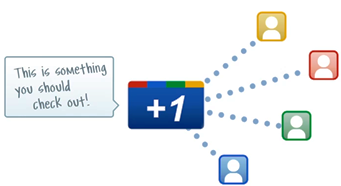
 Google +1 button is now released for all websites and blogs. The Google +1 button allows you to easily recommend web pages you like in the same way as Facebook Like button. However, there is more to it. Google +1 button will also be displayed on the Google’s search results pages, which means its likely to be used more often by the internet community. This is a good reason to have Google +1 button on your website.
By putting the Google +1 button on your blog pages can help in bringing you more, better qualified traffic from organic search results and search ads.
The Google +1 and Google Buzz buttons are not the same
The +1 button and the Buzz button though look similar are actually not. The Buzz button allows you to share content across your social network while the Google +1 button allows you to easily make recommendations in Google search. Google recommends using the +1 button if you do not want to have both buttons on your site.
We will soon be adding the Google +1 button to the GetSocial Plugin so that the plus one functionality is available for you right out-of-the-box. However, you don’t have to wait until we release the next update for GetSocial. Update: GetSocial WordPress Plugin now provides an out-of-the-box option for adding the Google +1 button. The newer version 1.4 of GetSocial also has a Cool Color Picker you can use to match the GetSocial colors to those of your blog theme.
2 Simple Steps to Add Google +1 to Your Blog
If you haven’t already installed the GetSocial plugin, go ahead install and activate the plugin. Its easy and you can get it up and running in minutes.
Adding the Google +1 button to GetSocial is easy. It’s a 2-step or rather just a single step process.
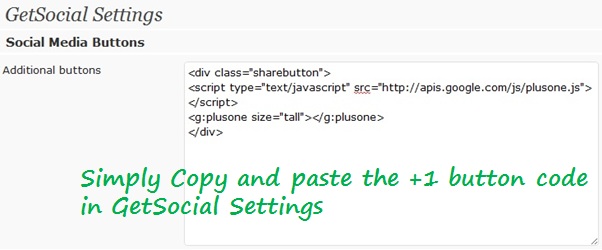
Step 1: Open the GetSocial Settings page from your WordPress dashboard. Scroll down and locate Additional buttons option under Social Media Buttons section. Copy and paste the the following lines of code in the Additional buttons text area.
<div class="sharebutton"><script type="text/javascript" src="http://apis.google.com/js/plusone.js"></script><g:plusone size="tall"></g:plusone></div>
Step 2: Save Changes and you are all set.
GetSocial plugin makes it incredibly easy to add any social bookmarking button to your blog. Using the above 2 step process, you can add just about any social bookmarking button to your blog and not just the Google +1 button.
Related Posts:
