
Images embedded within Microsoft Word documents can not be easily extracted. If you simply copy and paste the images, the image quality may get hampered. So what is the quickest and the best way to extract multiple images from any Word document?
The trick is pretty simple and straightforward. All you have to do is save the document as a web page. Open the Word document with images in Microsoft Word. Go to File ->Save As. In the Save as type drop down select Web Page and hit Save.
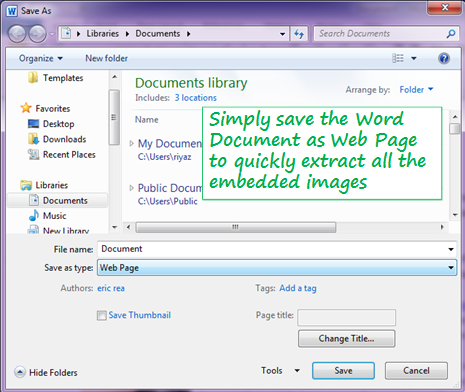
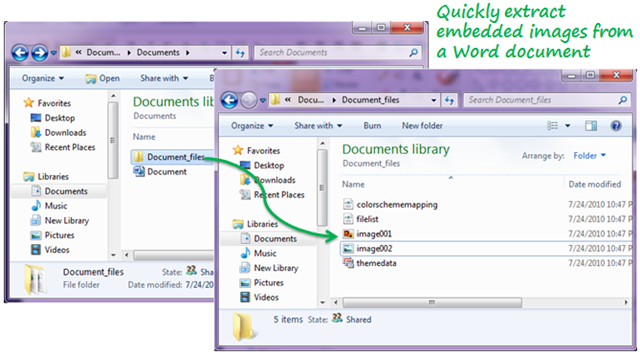
The file gets saved as a web page (.htm or .html) and the images from the document get placed in a folder named <Document-Name>_files in the same location as the web page.
 If you want to extract the embedded images without opening the Word document, here is another trick using WinZip or WinRAR utility.
