In the previous parts we learned how to create a custom IDoc and set up the source system to send an outbound IDoc. In this part we will learn how to configure the receiving SAP R/3 system to be able to receive and post the inbound IDoc.
Inbound IDoc Posting Function Module
In the receiving system, create a function module Z_IDOC_INPUT_ZRZSO_MT using SE37. Below, I have described the logic for the same.
Add Include MBDCONWF. This include contains predefined ALE constants.
Loop at EDIDC table
- Check if the message type is ZRZORDER. Otherwise raise WRONG_FUNCTION_CALLED exception
- Loop at EDIDD table
- Append data from the segments to appropriate internal tables
- For example: append data from ZRZSEG1 segment to the internal table of type ZCUSTOMERS
- Update the DDic tables from internal tables
- Depending on the result of the update, fill the IDoc status record (type BDIDOCSTAT) and append it to the corresponding table.
- Status 53 => Success
- Status 51 => Error
You can download the sample ABAP code for the above function module here.
Inbound Settings
- Define Logical Systems – Transaction SALE (Please refer to Outbound Settings discussed in previous part)
- Assign Client to Logical System – Transaction SALE (Please refer to Outbound Settings discussed in previous part)
- Maintain RFC Destinations – Transaction SM59 (Please refer to Outbound Settings discussed in previous part)
- Define Ports – Transaction WE21 (Please refer to Outbound Settings discussed in previous part)
- Generate/Create Partner Profile – Transactions BD82/WE20 (Please refer to Outbound Settings discussed in previous part)
- Assign Function Module to Logical message – Transaction WE57
- Create a new entry
- Specify name of the Function Module as Z_IDOC_INPUT_ZRZSO_MT
- Also, specify Type as F, Basic IDoc type as ZRZORDER, Message type as ZRZSO_MT and Direction as 2 (Inbound)
- Save the entry
- Define Input method for Inbound Function Module – Transaction BD51
- Create a new entry
- Provide Function Module name as Z_IDOC_INPUT_ZRZSO_MT
- Specify the Input method as 2
- Save the entry
- Create a Process Code – Transaction WE42
- Create a new Process Code ZPCRZ
- Select Processing with ALE Service
- Choose Processing type as Processing by function module
- Save the entry
- On the next screen, select your function module from the list
- Save the changes
- Now you will be taken to the next screen
- Double-click on Logical message
- In the Assignment to logical message, specify the message type ZRZSO_MT
- Save the changes
Send and receive data
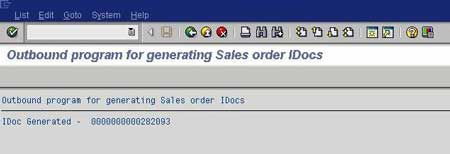
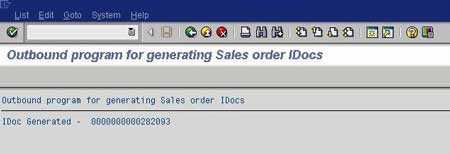
On the sender system, execute the IDoc Generation Program. Check the status of IDoc using transaction WE02.
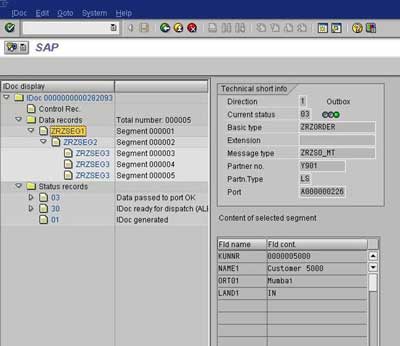
Check the status of the IDoc in the receiver system using transaction WE02. You can also check the contents of DDic tables to make sure that the records have been created in the receiver system.
Thus to summarize we have learned how to:
- Create a custom IDoc
- Write an Outbound IDoc Generation Program
- Write Inbound Function Module to post Inbound IDoc
- Configure and test ALE scenario to transmit data between systems distributed across the network
